
Manage products
The product is the first record you create, because nothing else in the app can exist without one. It is also the record that connects the two halves of the app: it owns the bills of materials that say what the product is made of, and it carries the checklists that decide how far through its life it has got.
Create a product
- In the Jira sidebar, open Apps and select Product Data.
- Go to the Products tab.
- Click New Product.
- Fill in the Summary and Description, plus anything else already known, then click Create.
Complete the product record
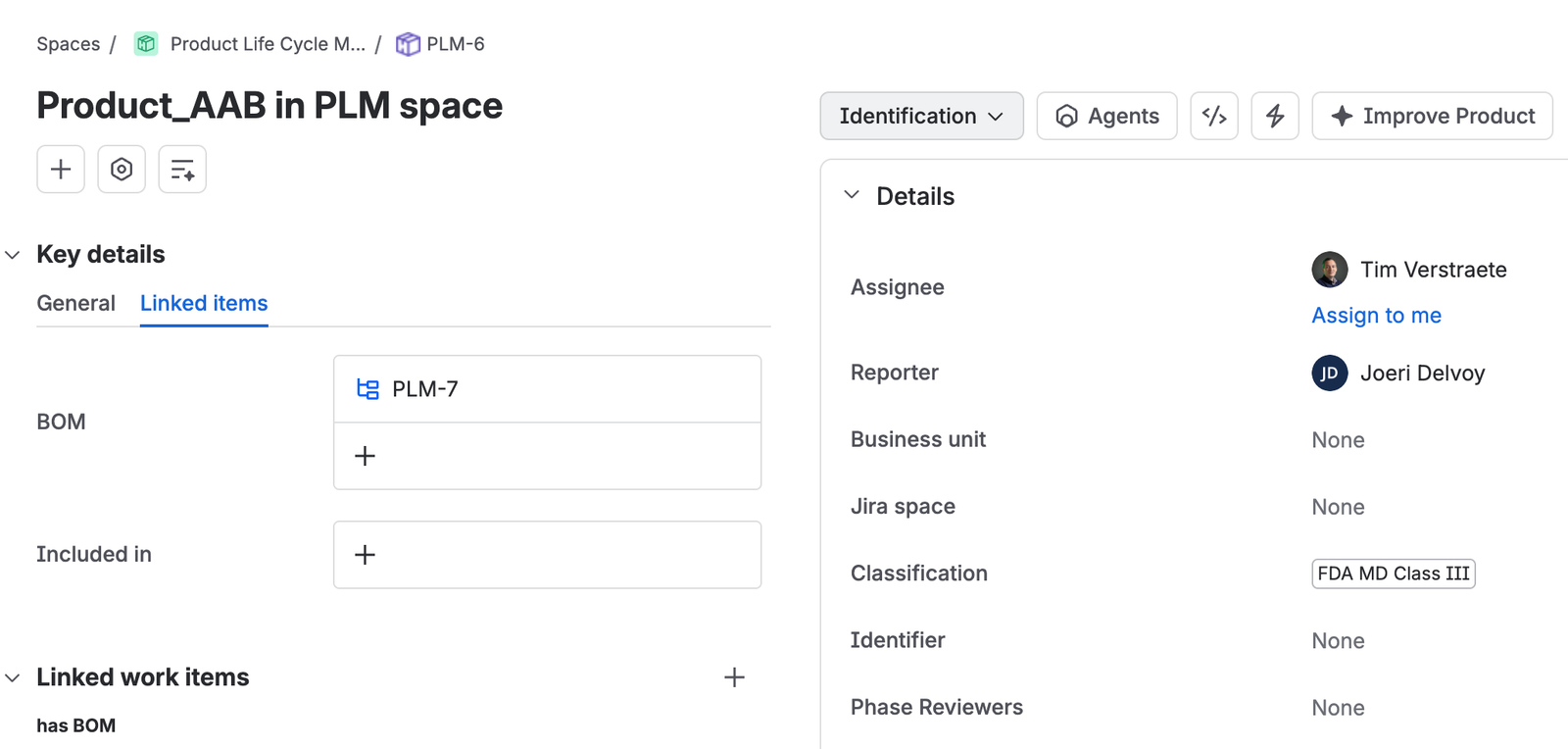
The fields below are what make the product usable by the rest of the app. A product missing its space or its checklists will not pick up a life cycle.
| Field | What goes in it |
|---|---|
| Business unit | The part of the organization the product belongs to. |
| Jira space | The space where development activities for this product happen. |
| Classification | The product classification, taken from your categorization and classification document rather than decided here. |
| PLC checklists | The checklists that apply to this product. See Run the product life cycle for creating them. |
| Phase reviewers | The people who review and approve this product’s phase gates. Can be changed as the product moves through its life. |
| Identifier | The identifier for this product, used where a product code is needed. |
One product links to one Jira space, and no more. Several products can point at the same space, so a team working on a family of products keeps them together, but a single product cannot have its development split across two.
What to do next
A product with no bill of materials describes nothing. Build at least one, covering whatever the product is actually made of. See Build a bill of materials.