
Product Lifecycle Management overview
Product Lifecycle Management holds two things that usually live in spreadsheets: what a product is made of, and how far through its life it has got. Both become Jira work items, so the bill of materials and the phase gate evidence are queryable, versioned, and linked to the approvals that released them.
Structure the product
Build a bill of materials from parts, components, files, and other products. One product can carry several, for variants, accessories, documentation, or software.
Version everything through change control
A part change is a version of a bill of materials or a part, and it only releases once an engineering change approves it. Nothing enters manufacturing unapproved.
Keep one component database
A component or file is created once and referenced everywhere. Change its supplier or its status and every product using it sees the change immediately.
Run the phase gates
Move a product from identification through to close-out, with a checklist at each gate answered against evidence in Document Control and signed off at a phase review.
How the app is organized
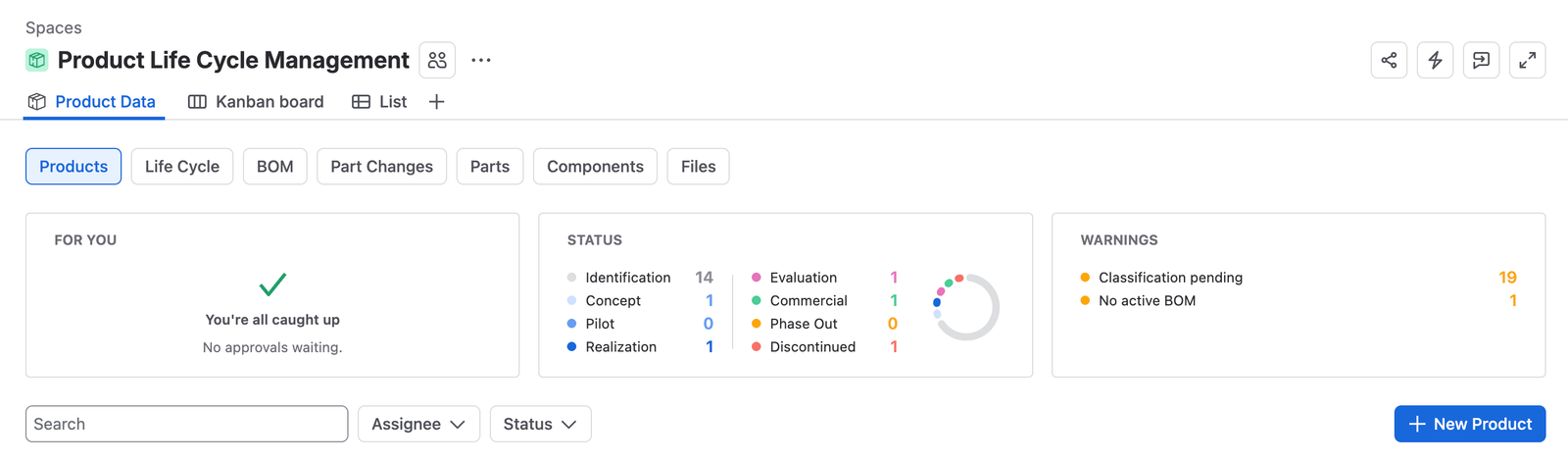
The app appears as Product Data, reached from Apps in the Jira sidebar. That global view carries a tab for each record type: Products, BOM, Part, Part Change, Components, and Files. The product life cycle is enabled separately, per development space, and adds the checklists that govern the phase gates.
The two halves meet on the product. A product names the Jira space its development happens in, the checklists that apply to it, and the people who review its phase gates. It also owns the bills of materials that say what it is made of.
Why the structure is held here rather than in a spreadsheet
A bill of materials is read by purchasing, manufacturing, quality, regulatory, and service. When it lives in a file, each of those teams ends up with a copy, and the copies drift. Holding it as linked work items means a component’s supplier, its approval status, and its technical data are the same everywhere it is used, and a change is visible immediately rather than tracked down list by list.
It also means the evolution is controlled. A preliminary bill of materials during realization is expected to be incomplete. The one approved at commercial release has to be complete, revision controlled, and traceable to an approved device master record. The part change is what carries a bill of materials from one of those states to the other without anyone losing track of which version was current when.
Where it meets the other apps
Standards
The phase structure is built for products under ISO 13485 and comparable frameworks. Taken across the full lifecycle, the checklist evidence at each gate is the documented history of how the product was developed, verified, validated, released, maintained, and withdrawn, which is what a design history file has to show. Bill of materials data also carries the material and compliance declarations that regulations such as REACH, RoHS, and WEEE ask for.
Read Standards and compliance for what supporting a standard does and does not mean.
New here? Read Key concepts first. The difference between a part, a component, a file, and a part change is the whole vocabulary of this app, and every guide assumes it.